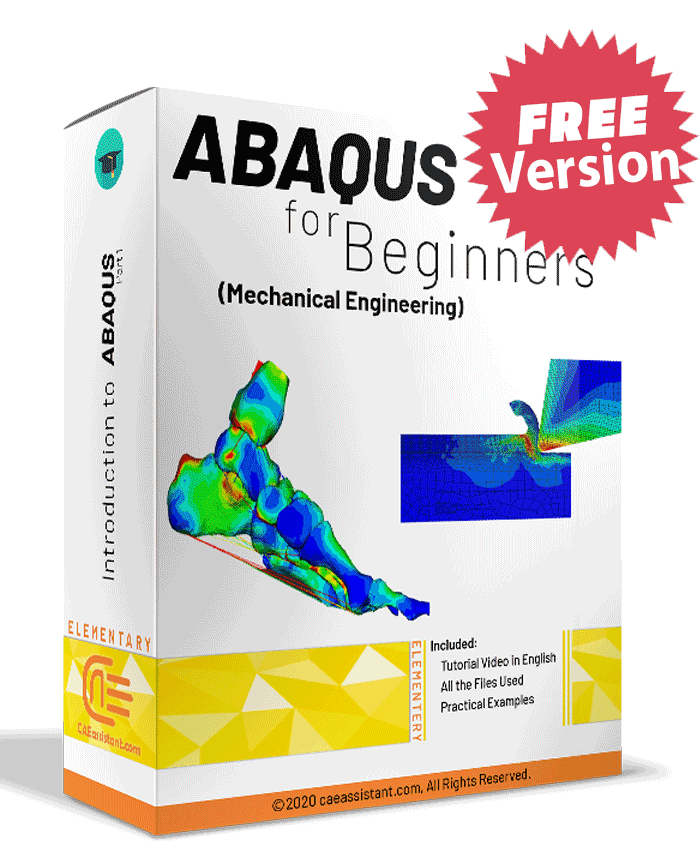
Abaqus for beginners (Mechanical Engineering)-Free Version

In this Free version of the training package, which is designed for beginners in mechanical engineering, five lessons from the original package are presented. This package is provided the necessary points and theories for simulation. With this training package, you will be able to get acquainted with different ABAQUS modules in the form of various examples in modeling, how to get the output and the necessary results for reporting. You can download the syllabus of this package here. You also could find the demo of the package on our YouTube channel at this link.
What You'll Learn

Buy Together & Save

This Course Includes

Course Content

Abaqus for beginners (Mechanical Engineering)-Free Version

Product Informations

Abaqus for beginners (Mechanical Engineering)

ABAQUS for beginners education package is an ideal package of CAE simulation for students, scholars, researchers, and professors….

In Abaqus for beginners (Mechanical Engineering) training package, which is designed for beginners in mechanical engineering, various examples in the most widely used fields are presented. These examples are provided with the necessary points and theories for simulation. With this training package, you will be able to get acquainted with different ABAQUS modules in the form of various examples in modeling, how to get the output and the necessary results for reporting.

More Description:

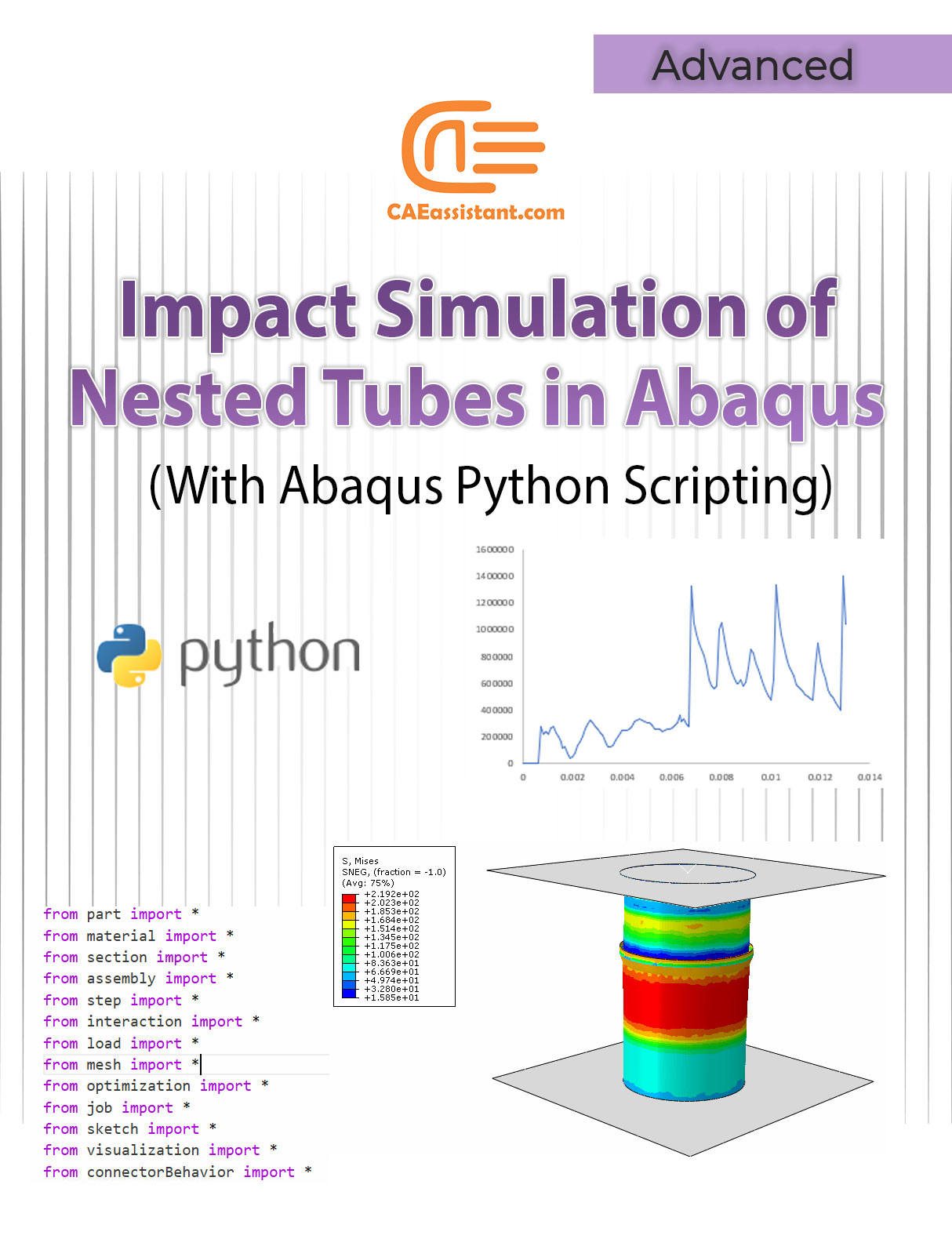
Abaqus for beginners package includes 8 lessons and 14 workshops. This free package includes 5 lessons and 8 workshops for free. To access the remaining lessons and workshops, you can view the full package. The workshop topics are designed to provide many tips for learning ABAQUS. Topics presented include areas, modeling of truss structures, modeling of beam structures, calculating stress concentration, calculating displacement in loaded plates, simulating structures with static and dynamic loading, calculating natural frequency, calculating buckling load, forming analysis, Simulation of heat transfer problems, simulation of heat transfer coupling problems, simulation of non-coupling heat transfer problems, impact simulation and etc.

Abaqus tutorial     It will guide you going from the basics up to complex simulation techniques and it is very fluid, comprehensive and every single detail is explained.

Abaqus tutorial    Every lesson goes straight to the point, without any worthless piece of content. You will learn what you need at every stage and you will be putting it into practice from the very first day.

In a word, being complete and having support in this course is the essential value of this course.

Abaqus tutorial        Most importantly, we support you as you learn in this course. You can contact our experts to ask your questions and enjoy our modeling and simulations step-by-step support.

Abaqus tutorial        This is just the beginning for you and if you want to become a professional in Abaqus and simulation, you can use our advanced packages and become a professional in advanced Abacus coding.

Click on the chapters of each lesson in the right section of this tab to know the details of the tips and issues presented in this very comprehensive and useful  ABAQUS training package.

Learn about how to apply torque and moment in Abaqus by reading this article: What is Abaqus Load Torque (Moment) and How to Apply it in Abaqus?

It would be useful to see Abaqus Documentation to understand how it would be hard to start an Abaqus simulation without any Abaqus course.
[woodmart_list icon_library=”openiconic” woodmart_css_id=”5dfa8e3e0668e” list=”%5B%7B%22list-content%22%3A%22What%20do%20we%20learn%20from%20this%20package%3F%22%7D%2C%7B%22list-content%22%3A%22Teaching%20plan%20and%20Prerequisites%20and%20Next%20steps%20%22%7D%2C%7B%22list-content%22%3A%22Package%20specification%22%7D%5D” icon_openiconic=”vc-oi vc-oi-play” icons_color=”eyJwYXJhbV90eXBlIjoid29vZG1hcnRfY29sb3JwaWNrZXIiLCJjc3NfYXJncyI6eyJjb2xvciI6WyIgLmxpc3QtaWNvbiJdfSwic2VsZWN0b3JfaWQiOiI1ZGZhOGUzZTA2NjhlIiwiZGF0YSI6eyJkZXNrdG9wIjoiI2Y1ODYzNCJ9fQ==”]

You can watch demo here.

[woodmart_popup shape=”round” width=”800″ woodmart_css_id=”5def77c20eda5″ title=”Watch Video” full_width=”no” button_inline=”no”]
[/woodmart_popup]
[woodmart_list icon_library=”openiconic” woodmart_css_id=”620a601178adc” list=”%5B%7B%22list-content%22%3A%22What%20is%20CAD%2FCAM%2FCAE%3F%3Cspan%20style%3D%5C%22float%3A%20right%3B%5C%22%3E%3C%2Fspan%3E%22%7D%2C%7B%22list-content%22%3A%22Abaqus%20window%20introduction%3Cspan%20style%3D%5C%22float%3A%20right%3B%5C%22%3E%3C%2Fspan%3E%22%7D%2C%7B%22list-content%22%3A%22Introduction%20to%20different%20modules%20in%20Abaqus%3Cspan%20style%3D%5C%22float%3A%20right%3B%5C%22%3E%3C%2Fspan%3E%22%7D%2C%7B%22list-content%22%3A%22Units%20in%20Abaqus%3Cspan%20style%3D%5C%22float%3A%20right%3B%5C%22%3E%3C%2Fspan%3E%22%7D%2C%7B%22list-content%22%3A%22One%20simple%20simulation%20from%20A-Z%20step%20by%20step%3Cspan%20style%3D%5C%22float%3A%20right%3B%5C%22%3E%3C%2Fspan%3E%22%7D%2C%7B%22list-content%22%3A%22How%20to%20define%20isotropic%20elastic%20material%3Cspan%20style%3D%5C%22float%3A%20right%3B%5C%22%3E%3C%2Fspan%3E%22%7D%2C%7B%22list-content%22%3A%22How%20to%20use%20Truss%20element%20and%20related%20tips%3Cspan%20style%3D%5C%22float%3A%20right%3B%5C%22%3E%3C%2Fspan%3E%22%7D%2C%7B%22list-content%22%3A%22Using%20SI%20units%3Cspan%20style%3D%5C%22float%3A%20right%3B%5C%22%3E%3C%2Fspan%3E%22%7D%2C%7B%22list-content%22%3A%22How%20to%20apply%20concentrated%20Force%3Cspan%20style%3D%5C%22float%3A%20right%3B%5C%22%3E%3C%2Fspan%3E%22%7D%2C%7B%22list-content%22%3A%22How%20to%20define%20static%20analysis%20and%20time%20concept%20in%20this%20step%3Cspan%20style%3D%5C%22float%3A%20right%3B%5C%22%3E%3C%2Fspan%3E%22%7D%2C%7B%22list-content%22%3A%22Visualize%20the%20primary%20variables%20like%20stress%2C%20strain%20and%20etc.%3Cspan%20style%3D%5C%22float%3A%20right%3B%5C%22%3E%3C%2Fspan%3E%22%7D%2C%7B%22list-content%22%3A%22Get%20report%20for%20stress%2C%20strain%2C%20reaction%20forces%20and%20deflections%20%3Cspan%20style%3D%5C%22float%3A%20right%3B%5C%22%3E%3C%2Fspan%3E%22%7D%2C%7B%22list-content%22%3A%22How%20to%20scale%20results%3Cspan%20style%3D%5C%22float%3A%20right%3B%5C%22%3E%3C%2Fspan%3E%22%7D%2C%7B%22list-content%22%3A%22How%20to%20see%20node%20and%20Element%20numbers%3Cspan%20style%3D%5C%22float%3A%20right%3B%5C%22%3E%3C%2Fspan%3E%22%7D%2C%7B%22list-content%22%3A%22How%20to%20see%20undeformed%20and%20deformed%20results%20together%3Cspan%20style%3D%5C%22float%3A%20right%3B%5C%22%3E%3C%2Fspan%3E%22%7D%5D” icon_openiconic=”vc-oi vc-oi-play” icons_color=”eyJwYXJhbV90eXBlIjoid29vZG1hcnRfY29sb3JwaWNrZXIiLCJjc3NfYXJncyI6eyJjb2xvciI6WyIgLmxpc3QtaWNvbiJdfSwic2VsZWN0b3JfaWQiOiI2MjBhNjAxMTc4YWRjIiwiZGF0YSI6eyJkZXNrdG9wIjoiI2Y1ODYzNCJ9fQ==”]

This lesson first, talks about CAE importance among other methods of computer design, analyzing, and production of a part or product. Then, the outline of software and all of its common options and simulation procedures are explained.

One of the important issues in using ABAQUS software is unit determination. This lesson explains about common units and compatible ones and obtaining methods of it.

Finally, a 2D truss under concentrated force is simulated. In this example, all the simulation procedures are explained step by step. Also, useful tips in different modules will be explained such as assigning material, loading, observing common outputs like stress, strain and, in addition, getting reports of desired items such as nodes displacement.

[woodmart_list icon_fontawesome=”fas fa-check” woodmart_css_id=”68244140e8b5b” list=”%5B%7B%22list-content%22%3A%22What%20is%20the%20FEM%3F%3Cspan%20style%3D%5C%22float%3A%20right%3B%5C%22%3E%3C%2Fspan%3E%22%2C%22item_type%22%3A%22inherit%22%7D%2C%7B%22list-content%22%3A%22Familiarity%20with%20Discretization%20Concept%3Cspan%20style%3D%5C%22float%3A%20right%3B%5C%22%3E%3C%2Fspan%3E%22%2C%22item_type%22%3A%22inherit%22%7D%2C%7B%22list-content%22%3A%22Analytical%20solutions%20vs%20FEM%3Cspan%20style%3D%5C%22float%3A%20right%3B%5C%22%3E%3C%2Fspan%3E%22%2C%22item_type%22%3A%22inherit%22%7D%2C%7B%22list-content%22%3A%22How%20a%20FEM%20analysis%20is%20done%3F%3Cspan%20style%3D%5C%22float%3A%20right%3B%5C%22%3E%3C%2Fspan%3E%22%2C%22item_type%22%3A%22inherit%22%7D%2C%7B%22list-content%22%3A%22How%20to%20discretize%20the%20domain%3F%3Cspan%20style%3D%5C%22float%3A%20right%3B%5C%22%3E%3C%2Fspan%3E%22%2C%22item_type%22%3A%22inherit%22%7D%2C%7B%22list-content%22%3A%22How%20to%20calculate%20nodal%20solution%3F%3Cspan%20style%3D%5C%22float%3A%20right%3B%5C%22%3E%3C%2Fspan%3E%22%2C%22item_type%22%3A%22inherit%22%7D%2C%7B%22list-content%22%3A%22Where%20FEM%20is%20used%3Cspan%20style%3D%5C%22float%3A%20right%3B%5C%22%3E%3C%2Fspan%3E%22%2C%22item_type%22%3A%22inherit%22%7D%2C%7B%22list-content%22%3A%22General%20Usage%20of%20FEM%3Cspan%20style%3D%5C%22float%3A%20right%3B%5C%22%3E%3C%2Fspan%3E%22%2C%22item_type%22%3A%22inherit%22%7D%2C%7B%22list-content%22%3A%22An%20example%20of%20structural%20analysis%3Cspan%20style%3D%5C%22float%3A%20right%3B%5C%22%3E%3C%2Fspan%3E%22%2C%22item_type%22%3A%22inherit%22%7D%2C%7B%22list-content%22%3A%22Degree%20of%20freedom%3Cspan%20style%3D%5C%22float%3A%20right%3B%5C%22%3E%3C%2Fspan%3E%22%2C%22item_type%22%3A%22inherit%22%7D%2C%7B%22list-content%22%3A%22Convergence%20Study(Validation)%3Cspan%20style%3D%5C%22float%3A%20right%3B%5C%22%3E%3C%2Fspan%3E%22%2C%22item_type%22%3A%22inherit%22%7D%2C%7B%22list-content%22%3A%22Plane%20stress%20and%20plane%20strain%20conditions%3Cspan%20style%3D%5C%22float%3A%20right%3B%5C%22%3E%3C%2Fspan%3E%22%2C%22item_type%22%3A%22inherit%22%7D%2C%7B%22list-content%22%3A%22Tips%20to%20start%20all%20simulations%3Cspan%20style%3D%5C%22float%3A%20right%3B%5C%22%3E%3C%2Fspan%3E%22%2C%22item_type%22%3A%22inherit%22%7D%2C%7B%22list-content%22%3A%22Create%20points%20and%20models%20in%203D%20space%3Cspan%20style%3D%5C%22float%3A%20right%3B%5C%22%3E%3C%2Fspan%3E%22%2C%22item_type%22%3A%22inherit%22%7D%2C%7B%22list-content%22%3A%22What%20is%20model%20tree%20and%20how%20to%20use%20it%3F%3Cspan%20style%3D%5C%22float%3A%20right%3B%5C%22%3E%3C%2Fspan%3E%22%2C%22item_type%22%3A%22inherit%22%7D%2C%7B%22list-content%22%3A%22How%20to%20use%20Probe%20value%20option%20to%20watch%20some%20results%3F%3Cspan%20style%3D%5C%22float%3A%20right%3B%5C%22%3E%3C%2Fspan%3E%22%2C%22item_type%22%3A%22inherit%22%7D%2C%7B%22list-content%22%3A%22How%20to%20simulate%20with%20plane%20stress%20element%20and%20usage%20conditions%3F%3Cspan%20style%3D%5C%22float%3A%20right%3B%5C%22%3E%3C%2Fspan%3E%22%2C%22item_type%22%3A%22inherit%22%7D%2C%7B%22list-content%22%3A%22What%20are%20simplify%20conditions%20to%20model%20one%20part%20of%20model%20%3F%3Cspan%20style%3D%5C%22float%3A%20right%3B%5C%22%3E%3C%2Fspan%3E%22%2C%22item_type%22%3A%22inherit%22%7D%2C%7B%22list-content%22%3A%22How%20to%20apply%20uniform%20tension%3F%3Cspan%20style%3D%5C%22float%3A%20right%3B%5C%22%3E%3C%2Fspan%3E%22%2C%22item_type%22%3A%22inherit%22%7D%2C%7B%22list-content%22%3A%22Using%20remeshing%20rule%20option%20to%20check%20convergency%3F%3Cspan%20style%3D%5C%22float%3A%20right%3B%5C%22%3E%3C%2Fspan%3E%22%2C%22item_type%22%3A%22inherit%22%7D%2C%7B%22list-content%22%3A%22How%20to%20get%20result%20in%20specific%20path%3F%3Cspan%20style%3D%5C%22float%3A%20right%3B%5C%22%3E%3C%2Fspan%3E%22%2C%22item_type%22%3A%22inherit%22%7D%5D” responsive_spacing=”eyJwYXJhbV90eXBlIjoid29vZG1hcnRfcmVzcG9uc2l2ZV9zcGFjaW5nIiwic2VsZWN0b3JfaWQiOiI2ODI0NDE0MGU4YjViIiwic2hvcnRjb2RlIjoid29vZG1hcnRfbGlzdCIsImRhdGEiOnsidGFibGV0Ijp7fSwibW9iaWxlIjp7fX19″ icons_color=”eyJwYXJhbV90eXBlIjoid29vZG1hcnRfY29sb3JwaWNrZXIiLCJjc3NfYXJncyI6eyJjb2xvciI6WyIgLndkLWljb24iXX0sInNlbGVjdG9yX2lkIjoiNjgyNDQxNDBlOGI1YiIsImRhdGEiOnsiZGVza3RvcCI6IiNkZDk5MzMifX0=”]

This lesson is very attractive to the users of finite elements. In this lesson, you will be familiar with the finite element completely. First, starts with some simple examples like meshing an aerial structure, calculating the circumference of a circle, and displacement calculation of a structure with geometric complication. Then, it discusses using finite element tools to solve problems step by step.

Furthermore, this lesson explains about different types of elements in terms of shape, element and node, freedom degree, and finite element is used for two types of problems. They and FEM instruction will be described to solve a difficult shape step by step. The users must know that using the FEM method has its advantages and disadvantages.

They will be explained completely with examples and figures. In the end, the degree of freedom and plane stress element and plane strain with problems that can use these elements will be described completely. It is necessary to know that one of the most important issues of using simulation software is studying convergence. The description of studying convergence is the last theory content in this lesson.

Two workshops are investigated in this lesson: In the first one, a three-dimension truss is simulated to model a 3D structure in space, using the software tree diagram, reading results, etc. In the second one, a sheet undergoes plane stress and the notes related to plane elements, applying tensional extensive load, reading results in a curved path, symmetric condition and model simplification, software technique for investigating convergence, and so on will be studied.

[woodmart_list icon_fontawesome=”fas fa-check” woodmart_css_id=”6824429c8deb7″ list=”%5B%7B%22list-content%22%3A%22Introduction%20to%20ABAQUS%20Element%20Library%20%3Cspan%20style%3D%5C%22float%3A%20right%3B%5C%22%3E%3C%2Fspan%3E%22%2C%22item_type%22%3A%22inherit%22%7D%2C%7B%22list-content%22%3A%22Characterizing%20elements%20%3Cspan%20style%3D%5C%22float%3A%20right%3B%5C%22%3E%3C%2Fspan%3E%22%2C%22item_type%22%3A%22inherit%22%7D%2C%7B%22list-content%22%3A%22Introduction%20to%20different%20Types%20of%20Elements%20%3Cspan%20style%3D%5C%22float%3A%20right%3B%5C%22%3E%3C%2Fspan%3E%22%2C%22item_type%22%3A%22inherit%22%7D%2C%7B%22list-content%22%3A%22Different%20Types%20of%20degree%20of%20freedoms%20%3Cspan%20style%3D%5C%22float%3A%20right%3B%5C%22%3E%3C%2Fspan%3E%22%2C%22item_type%22%3A%22inherit%22%7D%2C%7B%22list-content%22%3A%22Element%20and%20node%20numbering%20%3Cspan%20style%3D%5C%22float%3A%20right%3B%5C%22%3E%3C%2Fspan%3E%22%2C%22item_type%22%3A%22inherit%22%7D%2C%7B%22list-content%22%3A%22Element%20formulation%20%3Cspan%20style%3D%5C%22float%3A%20right%3B%5C%22%3E%3C%2Fspan%3E%22%2C%22item_type%22%3A%22inherit%22%7D%2C%7B%22list-content%22%3A%22Integration%20Points%20%3Cspan%20style%3D%5C%22float%3A%20right%3B%5C%22%3E%3C%2Fspan%3E%22%2C%22item_type%22%3A%22inherit%22%7D%2C%7B%22list-content%22%3A%22Beam%20Element%20and%20usage%20conditions%20%3Cspan%20style%3D%5C%22float%3A%20right%3B%5C%22%3E%3C%2Fspan%3E%22%2C%22item_type%22%3A%22inherit%22%7D%2C%7B%22list-content%22%3A%22Types%20of%20Beams%3A%20Euler-Bernoulli%20%3Cspan%20style%3D%5C%22float%3A%20right%3B%5C%22%3E%3C%2Fspan%3E%22%2C%22item_type%22%3A%22inherit%22%7D%2C%7B%22list-content%22%3A%22Types%20of%20Beams%3A%20Timoshenko%20%3Cspan%20style%3D%5C%22float%3A%20right%3B%5C%22%3E%3C%2Fspan%3E%22%2C%22item_type%22%3A%22inherit%22%7D%2C%7B%22list-content%22%3A%22Beam%20element%20library%20of%20Abaqus%20%3Cspan%20style%3D%5C%22float%3A%20right%3B%5C%22%3E%3C%2Fspan%3E%22%2C%22item_type%22%3A%22inherit%22%7D%2C%7B%22list-content%22%3A%22Simulation%20with%20beam%20Element%20%3Cspan%20style%3D%5C%22float%3A%20right%3B%5C%22%3E%3C%2Fspan%3E%22%2C%22item_type%22%3A%22inherit%22%7D%2C%7B%22list-content%22%3A%22How%20to%20specify%20beam%20orientation%20to%20watch%20some%20results%20%3Cspan%20style%3D%5C%22float%3A%20right%3B%5C%22%3E%3C%2Fspan%3E%22%2C%22item_type%22%3A%22inherit%22%7D%2C%7B%22list-content%22%3A%22How%20create%20profile%20for%20beam%20section%20%3Cspan%20style%3D%5C%22float%3A%20right%3B%5C%22%3E%3C%2Fspan%3E%22%2C%22item_type%22%3A%22inherit%22%7D%2C%7B%22list-content%22%3A%22How%20to%20see%20parts%20in%20different%20colors%20%3Cspan%20style%3D%5C%22float%3A%20right%3B%5C%22%3E%3C%2Fspan%3E%22%2C%22item_type%22%3A%22inherit%22%7D%2C%7B%22list-content%22%3A%22How%20to%20plot%20moment%20and%20force%20with%20in%20beam%20model%20%3Cspan%20style%3D%5C%22float%3A%20right%3B%5C%22%3E%3C%2Fspan%3E%22%2C%22item_type%22%3A%22inherit%22%7D%2C%7B%22list-content%22%3A%22Settings%20for%20plot(Font%2FColor%2Fmultiple%20plot%2FLegend%20ant%20etc.)%20%3Cspan%20style%3D%5C%22float%3A%20right%3B%5C%22%3E%3C%2Fspan%3E%22%2C%22item_type%22%3A%22inherit%22%7D%2C%7B%22list-content%22%3A%22How%20to%20model%20beam%20with%203D%20element%3Cspan%20style%3D%5C%22float%3A%20right%3B%5C%22%3E%3C%2Fspan%3E%22%2C%22item_type%22%3A%22inherit%22%7D%2C%7B%22list-content%22%3A%22How%20to%20define%20Dynamic%20Analysis%3Cspan%20style%3D%5C%22float%3A%20right%3B%5C%22%3E%3C%2Fspan%3E%22%2C%22item_type%22%3A%22inherit%22%7D%2C%7B%22list-content%22%3A%22How%20to%20get%20html%20report%20from%20simulation%20steps%20%3Cspan%20style%3D%5C%22float%3A%20right%3B%5C%22%3E%3C%2Fspan%3E%22%2C%22item_type%22%3A%22inherit%22%7D%5D” responsive_spacing=”eyJwYXJhbV90eXBlIjoid29vZG1hcnRfcmVzcG9uc2l2ZV9zcGFjaW5nIiwic2VsZWN0b3JfaWQiOiI2ODI0NDI5YzhkZWI3Iiwic2hvcnRjb2RlIjoid29vZG1hcnRfbGlzdCIsImRhdGEiOnsidGFibGV0Ijp7fSwibW9iaWxlIjp7fX19″ icons_color=”eyJwYXJhbV90eXBlIjoid29vZG1hcnRfY29sb3JwaWNrZXIiLCJjc3NfYXJncyI6eyJjb2xvciI6WyIgLndkLWljb24iXX0sInNlbGVjdG9yX2lkIjoiNjgyNDQyOWM4ZGViNyIsImRhdGEiOnsiZGVza3RvcCI6IiNkZDk5MzMifX0=”]
  • This lesson focuses on elements in the FEA simulation topic. At first, it explains the types of characteristics of elements, including family, degree of freedom, number of nodes, formulation, and integration completely. Then, the beam element and its items of use will introduce. The beam element can be used in two different formulations, Bernoulli and Timoshenko with different theories and different applications which will be explained in detail.
  • In the first workshop of this Abaqus course, a single clamped beam under concentrated force is simulated. The results from simulation and formulation analysis will be compared.
  • In the second workshop, beam simulation with the beam element and continuum element will be done and compared. The workshop describes the simulation with continuum element, beam element simulation tips, extracting moment results, force along the beam and cross-section, and parts observation with different colors; and also, explains beam modeling in a dynamic analysis which includes loading, and getting HTML results from simulation procedure. (FEM simulation / FEA simulation)
[woodmart_list icon_fontawesome=”fas fa-check” woodmart_css_id=”682445eae133f” list=”%5B%7B%22list-content%22%3A%22Monitor%20difference%20in%20Implicit%20and%20Explicit%20%3Cspan%20style%3D%5C%22float%3A%20right%3B%5C%22%3E%3C%2Fspan%3E%22%2C%22item_type%22%3A%22inherit%22%7D%2C%7B%22list-content%22%3A%22Points%20to%20Choose%20between%20Explicit%20%26%20Implicit%20%3Cspan%20style%3D%5C%22float%3A%20right%3B%5C%22%3E%3C%2Fspan%3E%22%2C%22item_type%22%3A%22inherit%22%7D%2C%7B%22list-content%22%3A%22Element%20library%2FAnalysis%20procedures%2FMaterial%20models%2F%20Contact%20formulation%2FSolution%20technique%2F%20Disk%20space%20%26%20memory%20in%20Two%20Solvers%20%3Cspan%20style%3D%5C%22float%3A%20right%3B%5C%22%3E%3C%2Fspan%3E%22%2C%22item_type%22%3A%22inherit%22%7D%2C%7B%22list-content%22%3A%22Quasi%20static%20vs%20static%20vs%20dynamic%20%3Cspan%20style%3D%5C%22float%3A%20right%3B%5C%22%3E%3C%2Fspan%3E%22%2C%22item_type%22%3A%22inherit%22%7D%2C%7B%22list-content%22%3A%22Story%20for%20Quasi%20static%2C%20static%20%2Cand%20dynamic%20%3Cspan%20style%3D%5C%22float%3A%20right%3B%5C%22%3E%3C%2Fspan%3E%22%2C%22item_type%22%3A%22inherit%22%7D%2C%7B%22list-content%22%3A%22Mesh%20refinement%20for%20two%20solvers%20%3Cspan%20style%3D%5C%22float%3A%20right%3B%5C%22%3E%3C%2Fspan%3E%22%2C%22item_type%22%3A%22inherit%22%7D%2C%7B%22list-content%22%3A%22How%20Abaqus%20solve%20truss%20problem%20step%20by%20step%20with%20implicit%20solver%20%3Cspan%20style%3D%5C%22float%3A%20right%3B%5C%22%3E%3C%2Fspan%3E%22%2C%22item_type%22%3A%22inherit%22%7D%2C%7B%22list-content%22%3A%22Conditions%20to%20use%20Axisymmetric%20element%20%3Cspan%20style%3D%5C%22float%3A%20right%3B%5C%22%3E%3C%2Fspan%3E%22%2C%22item_type%22%3A%22inherit%22%7D%2C%7B%22list-content%22%3A%22Conditions%20and%20usage%20of%20Analytical%20rigid%20part%20%3Cspan%20style%3D%5C%22float%3A%20right%3B%5C%22%3E%3C%2Fspan%3E%22%2C%22item_type%22%3A%22inherit%22%7D%2C%7B%22list-content%22%3A%22How%20to%20define%20plasticity%20%3Cspan%20style%3D%5C%22float%3A%20right%3B%5C%22%3E%3C%2Fspan%3E%22%2C%22item_type%22%3A%22inherit%22%7D%2C%7B%22list-content%22%3A%22How%20to%20use%20assembly%20models%20%3Cspan%20style%3D%5C%22float%3A%20right%3B%5C%22%3E%3C%2Fspan%3E%22%2C%22item_type%22%3A%22inherit%22%7D%2C%7B%22list-content%22%3A%22common%20contact%20definition%20%3Cspan%20style%3D%5C%22float%3A%20right%3B%5C%22%3E%3C%2Fspan%3E%22%2C%22item_type%22%3A%22inherit%22%7D%2C%7B%22list-content%22%3A%22How%20to%20use%20test%20results%20for%20stress-strain%20input%20and%20Engineering%20stress(strain)%20vs%20True%20stress(strain)%20%3Cspan%20style%3D%5C%22float%3A%20right%3B%5C%22%3E%3C%2Fspan%3E%22%2C%22item_type%22%3A%22inherit%22%7D%2C%7B%22list-content%22%3A%22Shell%20simulation%20and%20conditions%20usage%20%3Cspan%20style%3D%5C%22float%3A%20right%3B%5C%22%3E%3C%2Fspan%3E%22%2C%22item_type%22%3A%22inherit%22%7D%2C%7B%22list-content%22%3A%22Orthotropic%20Elastic%20material%20Definition%20%3Cspan%20style%3D%5C%22float%3A%20right%3B%5C%22%3E%3C%2Fspan%3E%22%2C%22item_type%22%3A%22inherit%22%7D%2C%7B%22list-content%22%3A%22How%20to%20define%20Functional%20Loading%20%3Cspan%20style%3D%5C%22float%3A%20right%3B%5C%22%3E%3C%2Fspan%3E%22%2C%22item_type%22%3A%22inherit%22%7D%2C%7B%22list-content%22%3A%22How%20to%20create%20local%20coordinate%20%3Cspan%20style%3D%5C%22float%3A%20right%3B%5C%22%3E%3C%2Fspan%3E%22%2C%22item_type%22%3A%22inherit%22%7D%5D” responsive_spacing=”eyJwYXJhbV90eXBlIjoid29vZG1hcnRfcmVzcG9uc2l2ZV9zcGFjaW5nIiwic2VsZWN0b3JfaWQiOiI2ODI0NDVlYWUxMzNmIiwic2hvcnRjb2RlIjoid29vZG1hcnRfbGlzdCIsImRhdGEiOnsidGFibGV0Ijp7fSwibW9iaWxlIjp7fX19″ icons_color=”eyJwYXJhbV90eXBlIjoid29vZG1hcnRfY29sb3JwaWNrZXIiLCJjc3NfYXJncyI6eyJjb2xvciI6WyIgLndkLWljb24iXX0sInNlbGVjdG9yX2lkIjoiNjgyNDQ1ZWFlMTMzZiIsImRhdGEiOnsiZGVza3RvcCI6IiNkZDk5MzMifX0=”]
  • This lesson is one of the most important lessons in this FEM simulation tutorial package. Explicit and standard solvers will be completely discussed in this Abaqus course lesson. In this FEA training, in the first step, it will be explained to choose an appropriate solver for each example by considering solver capability.
  • The key differences between these two solvers are described in solving different types of problems and the field element type of analysis, using contact, solving method, and so on. In the next step, the influence of mesh size on the speed of analysis for the two solvers is investigated.
  • It has been tried in a simple problem the solving process with two solvers, standard and explicit, to be completely explained. Therefore you will be completely familiar with the function of these two solvers.
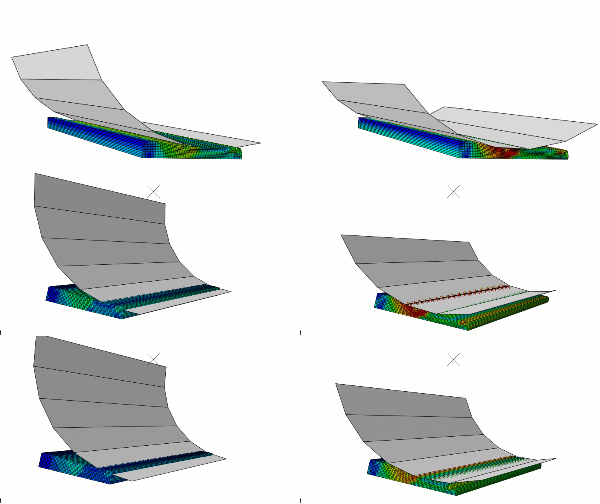
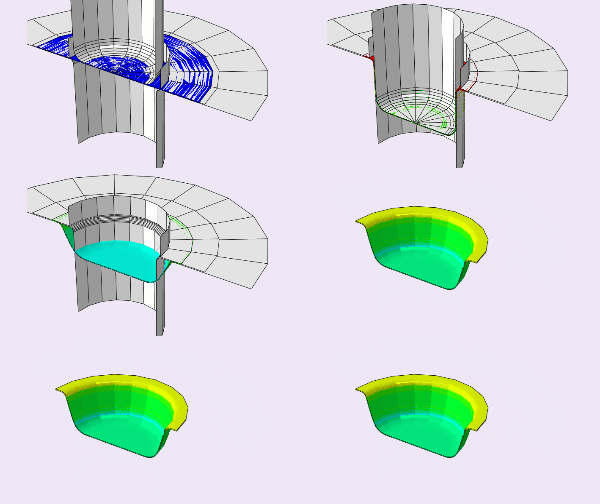
  • A deep drawing analysis is done by using the explicit solver in the workshp. In this workshop, different contents are explained as listed below: rigid body and related points, using information extracted from simple tensile stress in a laboratory in the inputs of software, Axsim element, and related points, defining contact, assembling, defining plasticity and so on.

Abaqus for beginners

[woodmart_list icon_fontawesome=”fas fa-check” woodmart_css_id=”682446da5a6b0″ list=”%5B%7B%22list-content%22%3A%22Where%20Explicit%20Analysis%20is%20used%20%3Cspan%20style%3D%5C%22float%3A%20right%3B%5C%22%3E%3C%2Fspan%3E%22%2C%22item_type%22%3A%22inherit%22%7D%2C%7B%22list-content%22%3A%22Stability%20definition%20for%20Explicit%20Method%20%3Cspan%20style%3D%5C%22float%3A%20right%3B%5C%22%3E%3C%2Fspan%3E%22%2C%22item_type%22%3A%22inherit%22%7D%2C%7B%22list-content%22%3A%22Stability%20limit%20calculation%20%3Cspan%20style%3D%5C%22float%3A%20right%3B%5C%22%3E%3C%2Fspan%3E%22%2C%22item_type%22%3A%22inherit%22%7D%2C%7B%22list-content%22%3A%22Example%20for%20stability%20limit%20calculation%20%3Cspan%20style%3D%5C%22float%3A%20right%3B%5C%22%3E%3C%2Fspan%3E%22%2C%22item_type%22%3A%22inherit%22%7D%2C%7B%22list-content%22%3A%22Speeding%20up%20a%20Quasi%20static%20Explicit%20Analysis%20%3Cspan%20style%3D%5C%22float%3A%20right%3B%5C%22%3E%3C%2Fspan%3E%22%2C%22item_type%22%3A%22inherit%22%7D%2C%7B%22list-content%22%3A%22Load%20Rate%20Scaling%20%3Cspan%20style%3D%5C%22float%3A%20right%3B%5C%22%3E%3C%2Fspan%3E%22%2C%22item_type%22%3A%22inherit%22%7D%2C%7B%22list-content%22%3A%22Smooth%20Amplitude%20Curves%20%3Cspan%20style%3D%5C%22float%3A%20right%3B%5C%22%3E%3C%2Fspan%3E%22%2C%22item_type%22%3A%22inherit%22%7D%2C%7B%22list-content%22%3A%22Mass%20Scaling%20%3Cspan%20style%3D%5C%22float%3A%20right%3B%5C%22%3E%3C%2Fspan%3E%22%2C%22item_type%22%3A%22inherit%22%7D%2C%7B%22list-content%22%3A%22Mass%20VS.%20Load%20Rate%20Scaling%20%3Cspan%20style%3D%5C%22float%3A%20right%3B%5C%22%3E%3C%2Fspan%3E%22%2C%22item_type%22%3A%22inherit%22%7D%2C%7B%22list-content%22%3A%22Energy%20Balance%20%3Cspan%20style%3D%5C%22float%3A%20right%3B%5C%22%3E%3C%2Fspan%3E%22%2C%22item_type%22%3A%22inherit%22%7D%2C%7B%22list-content%22%3A%22Using%20load%20rate%20scaling%20to%20increase%20time%20of%20computation%20%3Cspan%20style%3D%5C%22float%3A%20right%3B%5C%22%3E%3C%2Fspan%3E%22%2C%22item_type%22%3A%22inherit%22%7D%2C%7B%22list-content%22%3A%22Using%20Mass%20scaling%20to%20increase%20time%20of%20computation%20%3Cspan%20style%3D%5C%22float%3A%20right%3B%5C%22%3E%3C%2Fspan%3E%22%2C%22item_type%22%3A%22inherit%22%7D%2C%7B%22list-content%22%3A%22Checking%20proper%20load%20rate%20scaling%2Fmass%20scaling%20to%20get%20right%20result%20%3Cspan%20style%3D%5C%22float%3A%20right%3B%5C%22%3E%3C%2Fspan%3E%22%2C%22item_type%22%3A%22inherit%22%7D%2C%7B%22list-content%22%3A%22Discrete%20rigid%20simulation%20and%20usage%20conditions%20%3Cspan%20style%3D%5C%22float%3A%20right%3B%5C%22%3E%3C%2Fspan%3E%22%2C%22item_type%22%3A%22inherit%22%7D%2C%7B%22list-content%22%3A%22Plot%20combined%20curve(Load%20vs%20displacement%20for%20punch)%20%3Cspan%20style%3D%5C%22float%3A%20right%3B%5C%22%3E%3C%2Fspan%3E%22%2C%22item_type%22%3A%22inherit%22%7D%2C%7B%22list-content%22%3A%22Plane%20strain%20simulation%20and%20condition%20usages%20%3Cspan%20style%3D%5C%22float%3A%20right%3B%5C%22%3E%3C%2Fspan%3E%22%2C%22item_type%22%3A%22inherit%22%7D%2C%7B%22list-content%22%3A%22How%20to%20visualize%20axisymmetric%20element%20problem%20to%203D%20%3Cspan%20style%3D%5C%22float%3A%20right%3B%5C%22%3E%3C%2Fspan%3E%22%2C%22item_type%22%3A%22inherit%22%7D%2C%7B%22list-content%22%3A%22How%20to%20visualize%20Plane%20strain%20element%20problem%20to%203D%20%3Cspan%20style%3D%5C%22float%3A%20right%3B%5C%22%3E%3C%2Fspan%3E%22%2C%22item_type%22%3A%22inherit%22%7D%2C%7B%22list-content%22%3A%22How%20to%20use%20DOF%20monitor%20%3Cspan%20style%3D%5C%22float%3A%20right%3B%5C%22%3E%3C%2Fspan%3E%22%2C%22item_type%22%3A%22inherit%22%7D%2C%7B%22list-content%22%3A%22%5CnView%20results%20at%20the%20same%20intervals%20%3Cspan%20style%3D%5C%22float%3A%20right%3B%5C%22%3E%3C%2Fspan%3E%22%2C%22item_type%22%3A%22inherit%22%7D%2C%7B%22list-content%22%3A%22View%20specific%20result%20in%20some%20node%20sets%20%3Cspan%20style%3D%5C%22float%3A%20right%3B%5C%22%3E%3C%2Fspan%3E%22%2C%22item_type%22%3A%22inherit%22%7D%2C%7B%22list-content%22%3A%22How%20to%20plot%20ALLKE)%2C%20external%20work%20(ALLWK)%2C%20internal%20energy(ALLIE)%2C%20and%20total%20energy%20(ETOTAL)%20%3Cspan%20style%3D%5C%22float%3A%20right%3B%5C%22%3E%3C%2Fspan%3E%22%2C%22item_type%22%3A%22inherit%22%7D%5D” responsive_spacing=”eyJwYXJhbV90eXBlIjoid29vZG1hcnRfcmVzcG9uc2l2ZV9zcGFjaW5nIiwic2VsZWN0b3JfaWQiOiI2ODI0NDZkYTVhNmIwIiwic2hvcnRjb2RlIjoid29vZG1hcnRfbGlzdCIsImRhdGEiOnsidGFibGV0Ijp7fSwibW9iaWxlIjp7fX19″ icons_color=”eyJwYXJhbV90eXBlIjoid29vZG1hcnRfY29sb3JwaWNrZXIiLCJjc3NfYXJncyI6eyJjb2xvciI6WyIgLndkLWljb24iXX0sInNlbGVjdG9yX2lkIjoiNjgyNDQ2ZGE1YTZiMCIsImRhdGEiOnsiZGVza3RvcCI6IiNkZDk5MzMifX0=”]
  • In this lesson, very important tips about explicit solvers are studied. In the first step, different types of analysis are explained which are done by the dynamic explicit solver. Furthermore, the concept of stable time increment and calculation method will be described with examples completely and precisely.
  • In some problems, the speed of analysis can be increased with the help of different techniques, such as mass-scale and load rate scaling. These two techniques are explained completely. Some tips are passed on calculating optimal values for use in these two techniques. In the end, some points are explained about energy balance and remaining the problem in the quasi-static (versus Dynamic) state.
  • In the first workshop, the optimal time for deep drawing analysis is calculated and applied. In this analysis, two methods of increasing the analysis speed such as mass-scale and rate scaling are studied. 
  • The plane strain element is used in the second workshop, and methods of increasing the analysis speed are investigated. Furthermore, rolling modeling tips to decrease the thickness along the rolling shelf are presented. In the end, the energy balance is checked to prevent it from becoming dynamic. I hope you have not gotten tired of our explanation about this complete Abaqus course. 

Abaqus for beginners

17 reviews for Abaqus for beginners (Mechanical Engineering)-Free Version

  1. Avatar of Andrea Ricci

    Andrea Ricci

    The content and the quality of the package are the best. How can find the complete version of this package

  2. Avatar of max.sam

    max.sam

    Hi , I finally come back for my own feedback. First of all, I am satisfied with the content of the ‘free videos’, which include some introductions about the FEA, input files of Abaqus and Abaqus User Subroutines (Fortran codes), and so on. Maybe it was because of the commercial reasons or not, they are just some very short, simple examples, yes, of course, the ‘free videos’ won’t show too many details, I do understand it.
    So in my point of view, if you can afford a ‘complete’ example for a certain topic FOR FREE, for example, the heat transfer in a 1D bar with just a few elements. If you can afford the complete input file and the Fortran codes to make the users test by themselves, I think it will be attractive for the purchasers. Only when the users have done some tests by themselves, they can really know if your products suit them well.
    So I’m talking about the ‘Open Source’ for just ONE or SEVERAL SIMPLE, TYPICAL FEA codes. Anyway, it’s just my own opinion, and maybe I didn’t find the right place on your official website, where there might exist some full examples .

  3. Avatar of Rudramuni T S

    Rudramuni T S

    NICE

  4. Avatar of Abelardo

    Abelardo

    I recently purchased the Abaqus for beginners (Mechanical Engineering)-Free Version package and I must say it exceeded my expectations. The lessons provided a solid foundation in using Abaqus for simulation and modeling. However, I still have some questions regarding the advanced features of this package. Can you provide more information on how to enhance my skills with this package?

  5. Avatar of Ceferino

    Ceferino

    I am thoroughly impressed with the Abaqus for beginners (Mechanical Engineering)-Free Version package. It covered various modules and provided practical examples for each topic. I feel confident in my understanding of the basics, but I would like to know if there is a complete package available that covers all aspects of Abaqus. Could you provide details about the comprehensive package?

  6. Avatar of Evaristo

    Evaristo

    The Abaqus for beginners (Mechanical Engineering)-Free Version package was exactly what I needed to kickstart my project. The lessons on dynamic analysis and fracture/failure were particularly helpful. However, I have a specific project in mind and I’m unsure how to proceed using this product. Can you guide me on how to approach my specific project using the lessons from this package?

Add a review

Instructors

0-Abaqus-1-caeassistantpartnerm

 0.0

Get Free Access to More Than the Demo!