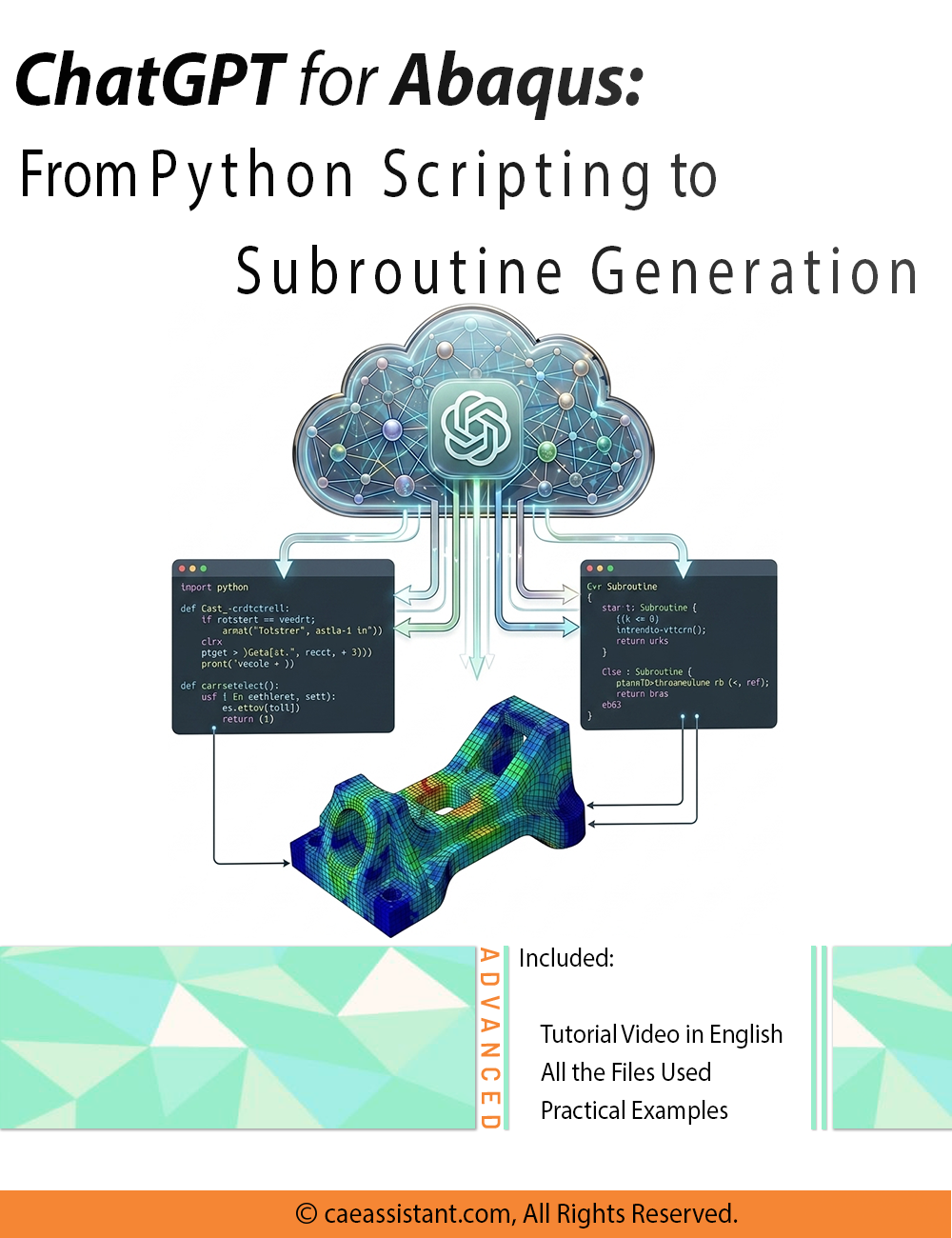
ChatGPT For Abaqus: From Python Scripting to Subroutine Generation

What You'll Learn

Buy Together & Save

This Course Includes
Course Content

ChatGPT For Abaqus: From Python Scripting to Subroutine Generation

Product Informations

[woodmart_info_box image=”47599″ style=”bg-hover” rounding_size=”” alignment=”center” title_size=”small” title_font_weight=”200″ css_animation=”none” woodmart_css_id=”69f06c831eafd” svg_animation=”no” info_box_inline=”no” responsive_spacing=”eyJwYXJhbV90eXBlIjoid29vZG1hcnRfcmVzcG9uc2l2ZV9zcGFjaW5nIiwic2VsZWN0b3JfaWQiOiI2OWYwNmM4MzFlYWZkIiwic2hvcnRjb2RlIjoid29vZG1hcnRfaW5mb19ib3giLCJkYXRhIjp7InRhYmxldCI6e30sIm1vYmlsZSI6e319fQ==” wd_z_index=”no” wd_hide_on_desktop=”no” wd_hide_on_tablet=”no” wd_hide_on_mobile=”no” link=”url:https%3A%2F%2Fcaeassistant.com%2Fproduct%2Fchatgpt-for-abaqus-from-python-scripting-to-subroutine-generation%2F” bg_hover_color_gradient=”rgb(60, 27, 59)-0/rgb(90, 55, 105)-33/rgb(46, 76, 130)-66/rgb(29, 28, 44)-100/|linear-gradient(left , rgb(60, 27, 59) , rgb(90, 55, 105) 33% , rgb(46, 76, 130) 66% , rgb(29, 28, 44) 100%)|linear|left” subtitle=”ChatGPT For Abaqus:
From Python Scripting to Subroutine Generation” img_size=”medium”][/woodmart_info_box]
[woodmart_title align=”left” size=”medium” font_weight=”200″ title_decoration_style=”bordered” woodmart_css_id=”67f4e446dacb9″ title=”What included in this package?” title_font_size=”eyJwYXJhbV90eXBlIjoid29vZG1hcnRfcmVzcG9uc2l2ZV9zaXplIiwiY3NzX2FyZ3MiOnsiZm9udC1zaXplIjpbIiAud29vZG1hcnQtdGl0bGUtY29udGFpbmVyIl19LCJzZWxlY3Rvcl9pZCI6IjY3ZjRlNDQ2ZGFjYjkiLCJkYXRhIjp7ImRlc2t0b3AiOiIyNnB4IiwidGFibGV0IjoiMzJweCIsIm1vYmlsZSI6IjI2cHgifX0=” responsive_spacing=”eyJwYXJhbV90eXBlIjoid29vZG1hcnRfcmVzcG9uc2l2ZV9zcGFjaW5nIiwic2VsZWN0b3JfaWQiOiI2N2Y0ZTQ0NmRhY2I5Iiwic2hvcnRjb2RlIjoid29vZG1hcnRfdGl0bGUiLCJkYXRhIjp7InRhYmxldCI6e30sIm1vYmlsZSI6e319fQ==” css=”.vc_custom_1744102513831{margin-bottom: 35px !important;}” wd_hide_on_desktop=”no” wd_hide_on_tablet=”no” wd_hide_on_mobile=”no”]
[woodmart_info_box image=”32834″ rounding_size=”” image_alignment=”left” title_size=”small” svg_animation=”yes” title=”Learning
Video” img_size=”45×45″ woodmart_css_id=”6978c4ebc1e0e” info_box_inline=”no” wd_hide_on_desktop=”no” wd_hide_on_tablet_landscape=”no” wd_hide_on_tablet=”no” wd_hide_on_mobile=”no” responsive_spacing=”eyJwYXJhbV90eXBlIjoid29vZG1hcnRfcmVzcG9uc2l2ZV9zcGFjaW5nIiwic2VsZWN0b3JfaWQiOiI2OTc4YzRlYmMxZTBlIiwic2hvcnRjb2RlIjoid29vZG1hcnRfaW5mb19ib3giLCJkYXRhIjp7InRhYmxldCI6e30sIm1vYmlsZSI6e319fQ==” wd_z_index=”no”][/woodmart_info_box][woodmart_info_box image=”32841″ rounding_size=”” image_alignment=”left” title_size=”small” svg_animation=”yes” title=”Python Script &
Fortran Subroutine” img_size=”45×45″ woodmart_css_id=”69f05ddf33771″ info_box_inline=”no” wd_hide_on_desktop=”no” wd_hide_on_tablet_landscape=”no” wd_hide_on_tablet=”no” wd_hide_on_mobile=”no” responsive_spacing=”eyJwYXJhbV90eXBlIjoid29vZG1hcnRfcmVzcG9uc2l2ZV9zcGFjaW5nIiwic2VsZWN0b3JfaWQiOiI2OWYwNWRkZjMzNzcxIiwic2hvcnRjb2RlIjoid29vZG1hcnRfaW5mb19ib3giLCJkYXRhIjp7InRhYmxldCI6e30sIm1vYmlsZSI6e319fQ==” wd_z_index=”no”][/woodmart_info_box]
[woodmart_info_box image=”33180″ rounding_size=”” image_alignment=”left” title_size=”small” svg_animation=”yes” title=”All Needed Prompts
& Instructions” img_size=”45×45″ woodmart_css_id=”69f05de3780a4″ info_box_inline=”no” wd_hide_on_desktop=”no” wd_hide_on_tablet_landscape=”no” wd_hide_on_tablet=”no” wd_hide_on_mobile=”no” responsive_spacing=”eyJwYXJhbV90eXBlIjoid29vZG1hcnRfcmVzcG9uc2l2ZV9zcGFjaW5nIiwic2VsZWN0b3JfaWQiOiI2OWYwNWRlMzc4MGE0Iiwic2hvcnRjb2RlIjoid29vZG1hcnRfaW5mb19ib3giLCJkYXRhIjp7InRhYmxldCI6e30sIm1vYmlsZSI6e319fQ==” wd_z_index=”no”][/woodmart_info_box][woodmart_info_box image=”32842″ rounding_size=”” image_alignment=”left” title_size=”small” svg_animation=”yes” title=”Error-Free
Subtitles” img_size=”45×45″ woodmart_css_id=”6978cb222e4f3″ info_box_inline=”no” wd_hide_on_desktop=”no” wd_hide_on_tablet_landscape=”no” wd_hide_on_tablet=”no” wd_hide_on_mobile=”no” responsive_spacing=”eyJwYXJhbV90eXBlIjoid29vZG1hcnRfcmVzcG9uc2l2ZV9zcGFjaW5nIiwic2VsZWN0b3JfaWQiOiI2OTc4Y2IyMjJlNGYzIiwic2hvcnRjb2RlIjoid29vZG1hcnRfaW5mb19ib3giLCJkYXRhIjp7InRhYmxldCI6e30sIm1vYmlsZSI6e319fQ==” wd_z_index=”no”][/woodmart_info_box]

Package Description

Artificial intelligence is transforming engineering workflows, and this package shows you how to use ChatGPT as a practical assistant for Abaqus modeling, automation, and advanced simulation tasks. Instead of spending hours writing repetitive commands, searching documentation, or debugging scripts manually, you will learn how to apply AI tools to accelerate finite element projects with higher efficiency and better productivity. The course begins with engineering prompt design, helping you communicate effectively with AI for technical tasks and simulation requests.

The package then moves into hands-on applications, including generation of Abaqus .inp files, Python scripting for automation, optimization loops, DOE studies, post-processing, and smart reporting. You will also explore how ChatGPT can assist in writing advanced user subroutines such as UMAT, VUMAT, and UEL, while improving debugging and log-file interpretation. This package is ideal for Abaqus users, analysts, and researchers who want to integrate AI into daily simulation workflows and gain a competitive advantage in engineering analysis.

[woodmart_text_block woodmart_css_id=”69f06e4f5a5e3″ woodmart_inline=”no” responsive_spacing=”eyJwYXJhbV90eXBlIjoid29vZG1hcnRfcmVzcG9uc2l2ZV9zcGFjaW5nIiwic2VsZWN0b3JfaWQiOiI2OWYwNmU0ZjVhNWUzIiwic2hvcnRjb2RlIjoid29vZG1hcnRfdGV4dF9ibG9jayIsImRhdGEiOnsidGFibGV0Ijp7fSwibW9iaWxlIjp7fX19″ parallax_scroll=”no” wd_hide_on_desktop=”no” wd_hide_on_tablet_landscape=”no” wd_hide_on_tablet=”no” wd_hide_on_mobile=”no”]

What Is Included in This Package?

This package is designed to teach engineers how to use generative AI tools effectively within Abaqus workflows, from model creation to advanced customization and troubleshooting.

You will first learn the fundamentals of engineering prompt design, understanding how to communicate with ChatGPT in a structured way to receive accurate technical outputs. This includes writing prompts for modeling tasks, scripting requests, debugging support, and simulation planning.

A major section of the course focuses on AI-driven model generation through Abaqus input files. You will learn how to build .inp files step-by-step using modular prompts for geometry definition, meshing strategies, materials, boundary conditions, loading, and analysis settings. This approach can significantly reduce model preparation time.

The course also covers Python scripting for automation inside Abaqus. You will learn how to generate scripts for repetitive tasks such as parameter changes, batch simulations, and geometry updates. In addition, optimization loops and Design of Experiment (DOE) frameworks will be introduced using AI-assisted coding methods.

For post-processing, you will discover how to automate ODB data extraction, process simulation results, classify outputs, and create smart engineering reports. These techniques improve productivity and reduce manual reporting effort.

Advanced modules explore how ChatGPT can support development of UMAT, VUMAT, and UEL subroutines by structuring code logic, generating templates, and assisting with constitutive model implementation.

Finally, the package teaches AI-assisted debugging methods, including interpretation of Abaqus log files, identifying scripting mistakes, diagnosing convergence issues, and finding faster solutions to common simulation errors. By the end of the course, you will know how to combine AI and Abaqus into a powerful modern engineering workflow.

[/woodmart_text_block][woodmart_button style=”link” color=”primary” align=”left” woodmart_css_id=”6981dc5c0a870″ title=”Read More” full_width=”no” button_inline=”no” button_smooth_scroll=”no” wd_button_collapsible_content=”yes” responsive_spacing=”eyJwYXJhbV90eXBlIjoid29vZG1hcnRfcmVzcG9uc2l2ZV9zcGFjaW5nIiwic2VsZWN0b3JfaWQiOiI2OTgxZGM1YzBhODcwIiwic2hvcnRjb2RlIjoid29vZG1hcnRfYnV0dG9uIiwiZGF0YSI6eyJ0YWJsZXQiOnt9LCJtb2JpbGUiOnt9fX0=” wd_hide_on_desktop=”no” wd_hide_on_tablet=”no” wd_hide_on_mobile=”no”]

[woodmart_title align=”left” woodmart_css_id=”67cffade9a3ae” title=”Syllabus” responsive_spacing=”eyJwYXJhbV90eXBlIjoid29vZG1hcnRfcmVzcG9uc2l2ZV9zcGFjaW5nIiwic2VsZWN0b3JfaWQiOiI2N2NmZmFkZTlhM2FlIiwic2hvcnRjb2RlIjoid29vZG1hcnRfdGl0bGUiLCJkYXRhIjp7InRhYmxldCI6e30sIm1vYmlsZSI6e319fQ==” wd_hide_on_desktop=”no” wd_hide_on_tablet=”no” wd_hide_on_mobile=”no”]
Prompt Engineering for Engineering Tasks
Using ChatGPT to write Abaqus input files step-by-step
Developing Python scripts to automate changing parameters
Using Python-based post-processing to extract specific field output data automatically.
Leveraging ChatGPT to write and structure subroutines like UMAT, and VUMAT
Using ChatGPT to identify and fix logic errors in subroutines and scripts. Classify error messages to find solutions faster.
[woodmart_info_box image=”32167″ rounding_size=”” alignment=”center” btn_position=”static” btn_color=”primary” btn_style=”link” no_svg_animation=”yes” title=”Quality Insurance” css=”.vc_custom_1743318038318{border-right-width: 1px !important;border-right-style: inherit !important;border-color: #c4c4c4 !important;}” img_size=”100×100″ woodmart_css_id=”67e8ec03dce53″ svg_animation=”no” info_box_inline=”no” wd_hide_on_desktop=”no” wd_hide_on_tablet_landscape=”no” wd_hide_on_tablet=”no” wd_hide_on_mobile=”no” responsive_spacing=”eyJwYXJhbV90eXBlIjoid29vZG1hcnRfcmVzcG9uc2l2ZV9zcGFjaW5nIiwic2VsZWN0b3JfaWQiOiI2N2U4ZWMwM2RjZTUzIiwic2hvcnRjb2RlIjoid29vZG1hcnRfaW5mb19ib3giLCJkYXRhIjp7InRhYmxldCI6e30sIm1vYmlsZSI6e319fQ==” wd_z_index=”no”]Refunds, per terms and conditions, cover:

defects in input file (.inp) execution.

defects in subroutine file (.for) execution.

guarantees validation and accurate simulation results.

ensures product matches page descriptions.[/woodmart_info_box]

[woodmart_info_box image=”32168″ rounding_size=”” alignment=”center” btn_position=”static” btn_color=”primary” btn_style=”link” no_svg_animation=”yes” img_size=”100×100″ woodmart_css_id=”67e8e9484f09a” svg_animation=”no” info_box_inline=”no” wd_hide_on_desktop=”no” wd_hide_on_tablet_landscape=”no” wd_hide_on_tablet=”no” wd_hide_on_mobile=”no” responsive_spacing=”eyJwYXJhbV90eXBlIjoid29vZG1hcnRfcmVzcG9uc2l2ZV9zcGFjaW5nIiwic2VsZWN0b3JfaWQiOiI2N2U4ZTk0ODRmMDlhIiwic2hvcnRjb2RlIjoid29vZG1hcnRfaW5mb19ib3giLCJkYXRhIjp7InRhYmxldCI6e30sIm1vYmlsZSI6e319fQ==” wd_z_index=”no” title=”Attendance Certificate”]Optional Certificate Available for an additional fee:

Issued upon successful completion.

Verifiable anytime on our website.

Proof of training participation.

Validates understanding of topic simulation.[/woodmart_info_box]

[woodmart_title size=”extra-large” title=”Tutor” css=”.vc_custom_1743681891791{margin-bottom: 20px !important;}” woodmart_css_id=”67ee795c988b7″ subtitle_font_size=”eyJwYXJhbV90eXBlIjoid29vZG1hcnRfcmVzcG9uc2l2ZV9zaXplIiwiY3NzX2FyZ3MiOnsiZm9udC1zaXplIjpbIiAudGl0bGUtc3VidGl0bGUiXX0sInNlbGVjdG9yX2lkIjoiNjdlZTc5NWM5ODhiNyIsImRhdGEiOnsiZGVza3RvcCI6IjE4cHgifX0=” responsive_spacing=”eyJwYXJhbV90eXBlIjoid29vZG1hcnRfcmVzcG9uc2l2ZV9zcGFjaW5nIiwic2VsZWN0b3JfaWQiOiI2N2VlNzk1Yzk4OGI3Iiwic2hvcnRjb2RlIjoid29vZG1hcnRfdGl0bGUiLCJkYXRhIjp7InRhYmxldCI6e30sIm1vYmlsZSI6e319fQ==” wd_hide_on_desktop=”no” wd_hide_on_tablet=”no” wd_hide_on_mobile=”no”]
[team_member image=”33430″ name=”Produced in Partnership Plan” align=”center” style=”colored” size=”small” woodmart_color_scheme=”dark” img_size=”full” google_plus=”#” linkedin=”https://de.linkedin.com/company/caeassistant” woodmart_css_id=”6811e08223129″ responsive_spacing=”eyJwYXJhbV90eXBlIjoid29vZG1hcnRfcmVzcG9uc2l2ZV9zcGFjaW5nIiwic2VsZWN0b3JfaWQiOiI2ODExZTA4MjIzMTI5Iiwic2hvcnRjb2RlIjoidGVhbV9tZW1iZXIiLCJkYXRhIjp7InRhYmxldCI6e30sIm1vYmlsZSI6e319fQ==”][/team_member]
[woodmart_text_block text_font_size=”custom” text_color=”title” woodmart_css_id=”681339c8bbcce” text_font_size_custom=”eyJwYXJhbV90eXBlIjoid29vZG1hcnRfcmVzcG9uc2l2ZV9zaXplIiwiY3NzX2FyZ3MiOnsiZm9udC1zaXplIjpbIi53ZC10ZXh0LWJsb2NrIl19LCJzZWxlY3Rvcl9pZCI6IjY4MTMzOWM4YmJjY2UiLCJkYXRhIjp7ImRlc2t0b3AiOiIyNHB4In19″ parallax_scroll=”no” woodmart_inline=”no” wd_hide_on_desktop=”no” wd_hide_on_tablet_landscape=”no” wd_hide_on_tablet=”no” wd_hide_on_mobile=”no” responsive_spacing=”eyJwYXJhbV90eXBlIjoid29vZG1hcnRfcmVzcG9uc2l2ZV9zcGFjaW5nIiwic2VsZWN0b3JfaWQiOiI2ODEzMzljOGJiY2NlIiwic2hvcnRjb2RlIjoid29vZG1hcnRfdGV4dF9ibG9jayIsImRhdGEiOnsidGFibGV0Ijp7fSwibW9iaWxlIjp7fX19″]

The CAE Assistant team, in collaboration with numerous academics, researchers, and industry professionals holding bachelor’s, master’s, and PhD degrees, has developed a variety of educational packages. One of the key advantages of leveraging the expertise of such individuals is the creation of high-quality, valuable content that stands out compared to competitors. This has earned the trust of many individuals from renowned companies and universities in our team and the quality of the content we produce, which has always been a source of pride for us.

[/woodmart_text_block]

The FEM simulation fields we serve:

Mechanical Engineering
Biomechanical Engineering
Writing Abaqus Subroutines
Civil, Water, and Soil Engineering
[woodmart_button woodmart_css_id=”6803734de3378″ title=”Book a Consultation Session” button_smooth_scroll=”no” wd_button_collapsible_content=”no” full_width=”no” button_inline=”no” responsive_spacing=”eyJwYXJhbV90eXBlIjoid29vZG1hcnRfcmVzcG9uc2l2ZV9zcGFjaW5nIiwic2VsZWN0b3JfaWQiOiI2ODAzNzM0ZGUzMzc4Iiwic2hvcnRjb2RlIjoid29vZG1hcnRfYnV0dG9uIiwiZGF0YSI6eyJ0YWJsZXQiOnt9LCJtb2JpbGUiOnt9fX0=” wd_hide_on_desktop=”no” wd_hide_on_tablet=”no” wd_hide_on_mobile=”no” link=”url:https%3A%2F%2Fcaeassistant.com%2Fonline-tutoring-consulting%2Fpre-registration%2F” css=”.vc_custom_1745056601789{border-top-width: 25px !important;}”]

You will learn how to use ChatGPT to improve Abaqus workflows, including model generation, Python scripting, automation, post-processing, and advanced subroutine development. The course also teaches debugging techniques and smarter engineering prompt design for technical tasks.

This course is designed for Abaqus users, simulation engineers, researchers, and students who want to increase productivity with AI tools. It is especially useful for those working with repetitive modeling tasks, scripting, optimization, or advanced finite element customization.

This training gives you a practical and structured system for applying AI in real Abaqus projects, saving you time and trial-and-error effort. Instead of learning from scattered online sources, you gain focused workflows, engineering examples, and immediately usable techniques in one package.

The PDF and Video provided in this training are in English. They are error-free, and presented in a clear and straightforward manner, making it easy for anyone with a basic understanding of English to follow.

We fully and unconditionally guarantee the accuracy and functionality of our content, ensuring it matches the descriptions provided on our website. This guarantee covers any discrepancies between the training and the presented syllabus, as well as any issues with the files, code, and videos you receive. For more information you can check the Terms and Conditions.

The files included in this training are checked on Abaqus 2022. However, we have provided the input (INP) files to allow you to run the simulations on other versions as well.

By purchasing this package, you will get access to the following:

  • Training video: To facilitate your learning experience, we provide video tutorials that complement the PDF guide. These videos offer an in-depth explanation of the theory and guide you through each workshop, demonstrating exactly how to analyze the files and interpret the results.

  • PDF file: Upon purchasing this training package, you will receive a comprehensive PDF Guide. This document covers all the necessary theories and mathematical formulations. Furthermore, we provide a detailed Step-by-step explanation of the model file, ensuring you understand exactly how the model is structured and implemented.

  • Abaqus inp Files You will receive full access to the Abaqus inp files for all workshops, allowing you to keep and utilize them for your own projects.

Yes, you can receive this training in a language other than English, which includes an additional fee. If you are interested, please contact our online chat or support email for more information.

Yes, depending on the modifications you require, we can implement the changes you need. To learn more about the terms and conditions for such custom orders, please contact our support email or our online chat.

[woodmart_title woodmart_css_id=”67e8ee8ba2ca3″ responsive_spacing=”eyJwYXJhbV90eXBlIjoid29vZG1hcnRfcmVzcG9uc2l2ZV9zcGFjaW5nIiwic2VsZWN0b3JfaWQiOiI2N2U4ZWU4YmEyY2EzIiwic2hvcnRjb2RlIjoid29vZG1hcnRfdGl0bGUiLCJkYXRhIjp7InRhYmxldCI6e30sIm1vYmlsZSI6e319fQ==” wd_hide_on_desktop=”no” wd_hide_on_tablet=”no” wd_hide_on_mobile=”no” subtitle=”Are you a faculty member or representing a company? Explore our Unlimited Bundle Plan.” title=”Purchase Multiple Packages at Less than Half Price”]

If you are a faculty member or a company requiring multiple training packages for your staff, or If you’re an individual seeking to enhance your skills across various domains, we offer a tailored bundle plan. This plan provides access to a specific number of packages for a duration of 1 or 2 years. By paying the bundle plan fees, you’ll also receive discounts on a range of our additional services. This is a comprehensive and cost-effective solution to enhance the knowledge and skills of your team or students.

Please note: This bundle plan includes a variety of our popular training packages. If you would like to confirm the specific packages included in this plan (all packages under 400€), please check THIS PAGE or feel free to contact our support team via online chat.

Reviews

There are no reviews yet.

Be the first to review “ChatGPT For Abaqus: From Python Scripting to Subroutine Generation”

Instructors

0-Abaqus-1-caeassistantpartnerm

Original price was: € 200.0.Current price is: € 140.0.

Get Free Access to More Than the Demo!